@title
Your agent writes the copy. Lede sets the page.
Lede is a page format a model writes instead of HTML. One line is one block: a heading, a metric, a chart, a diagram. The compiler owns the rest, from layout and color to dark mode and the phone layout, and hands back one HTML file with no JavaScript in it.
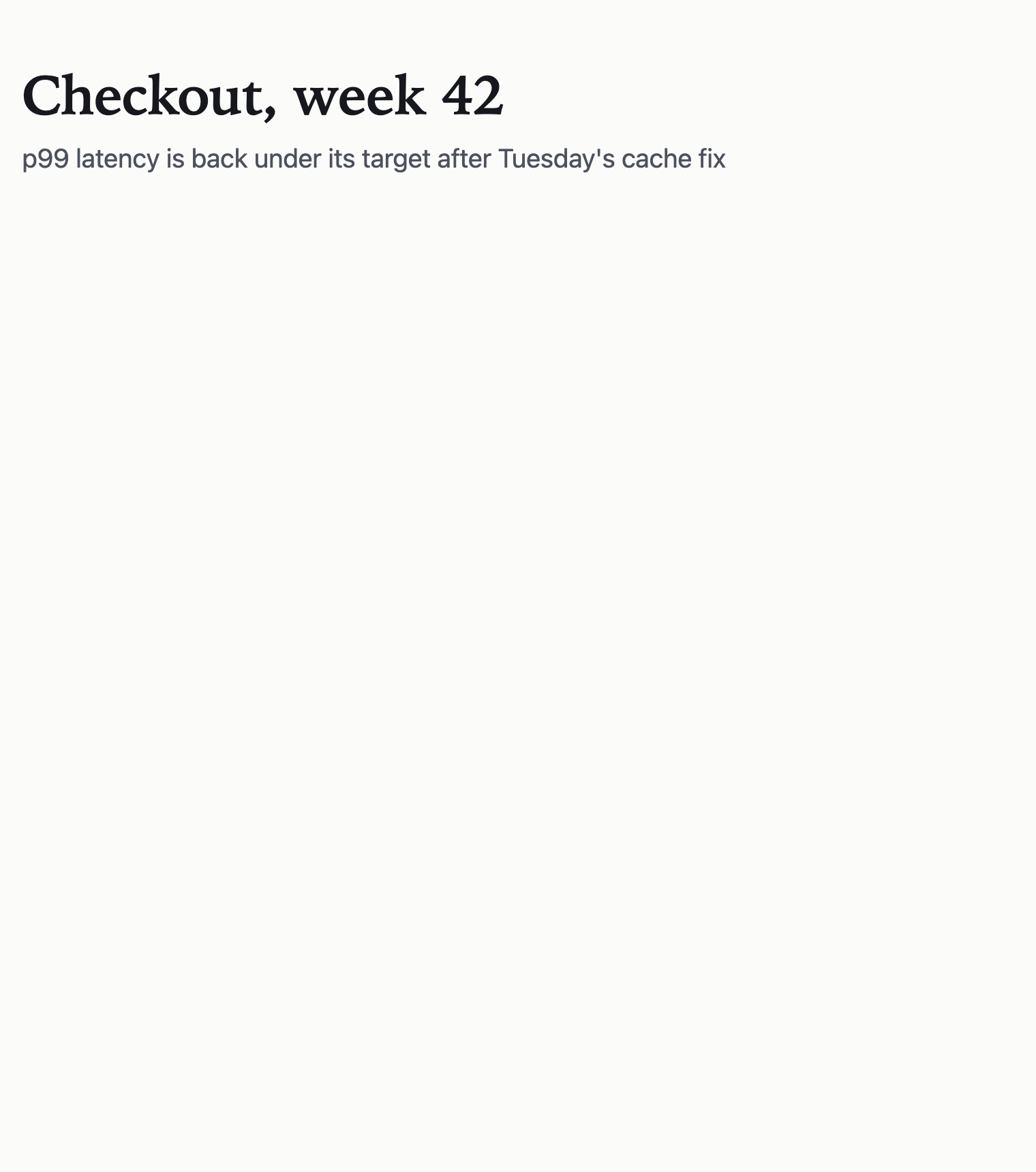
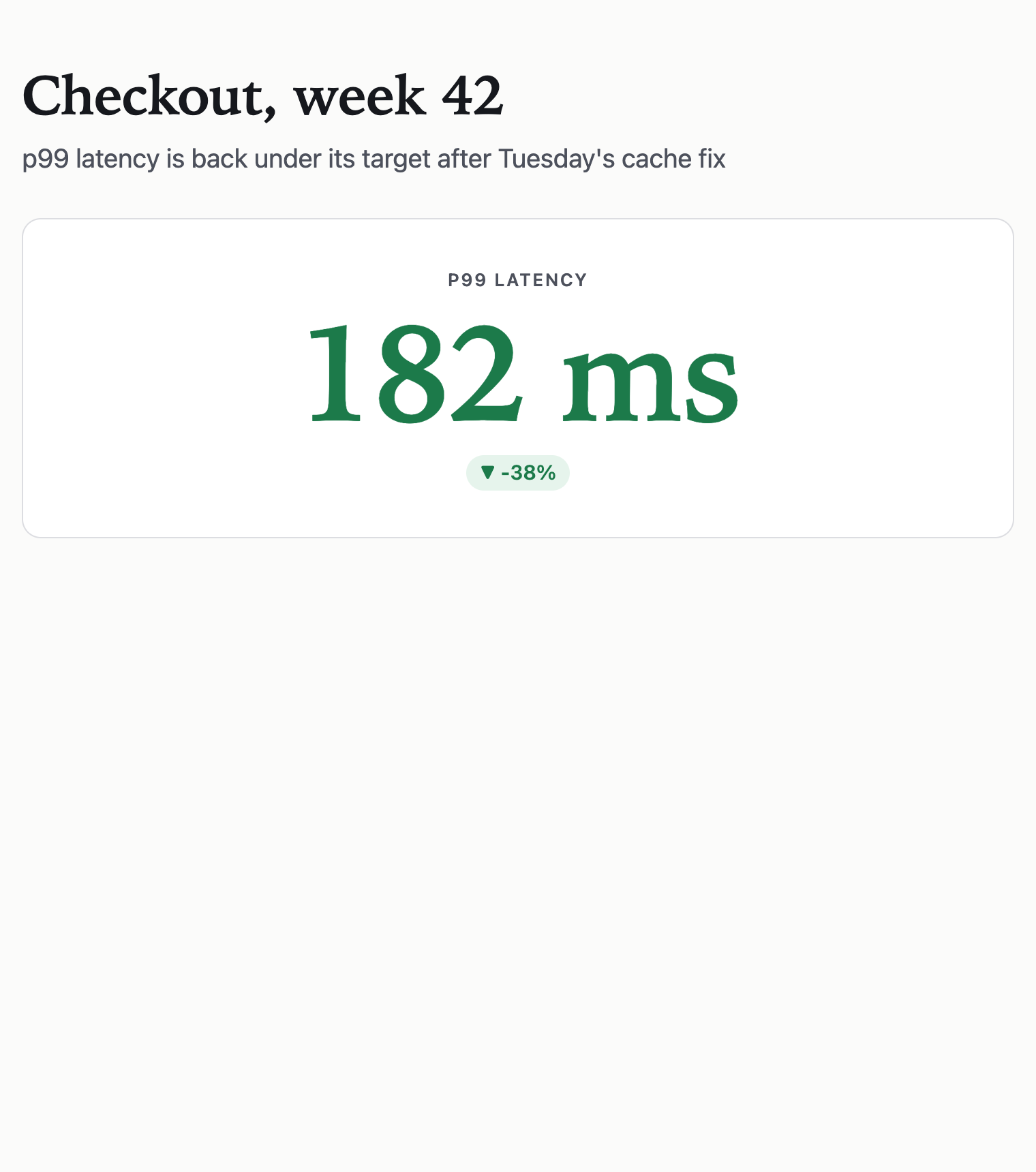
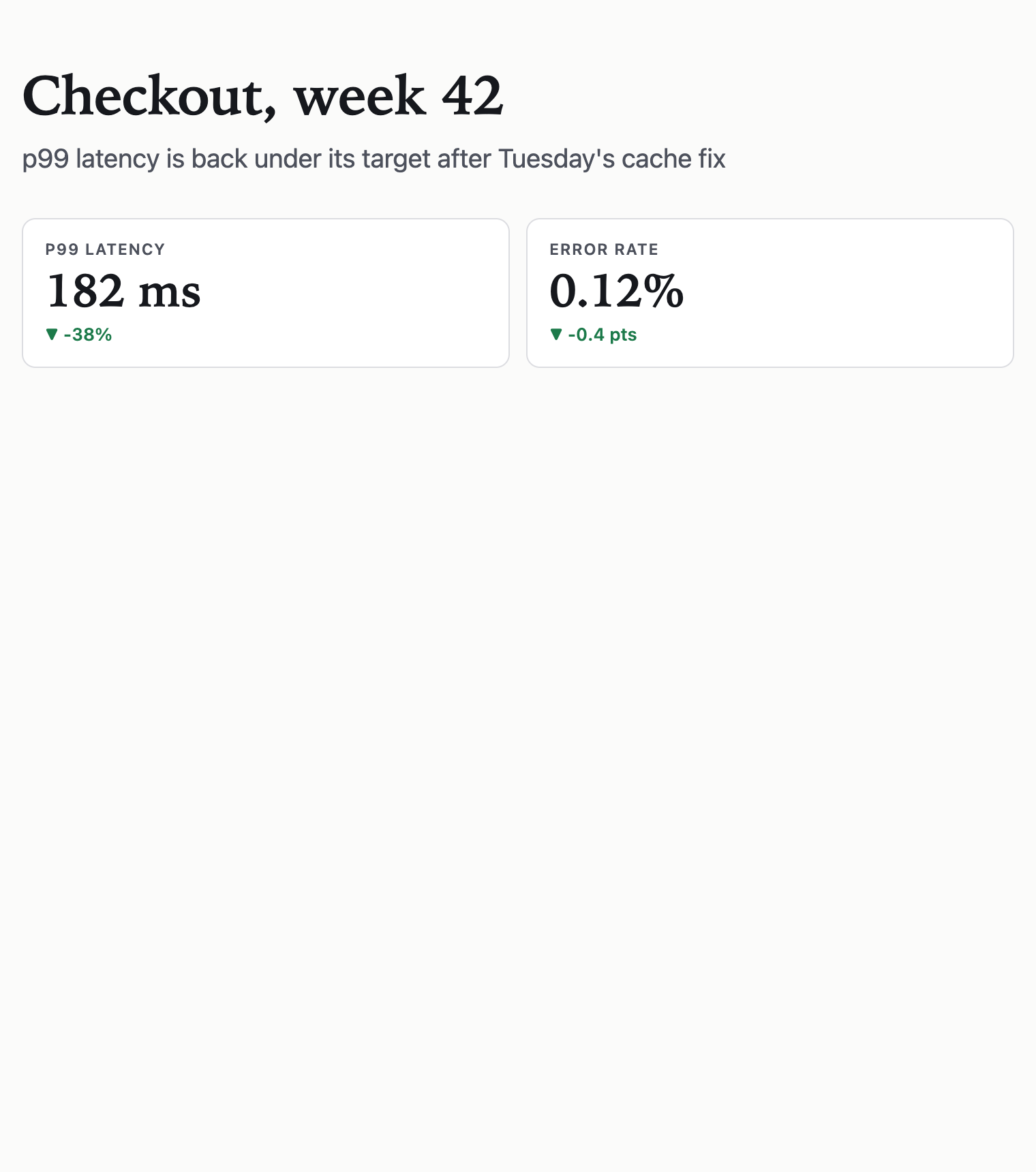
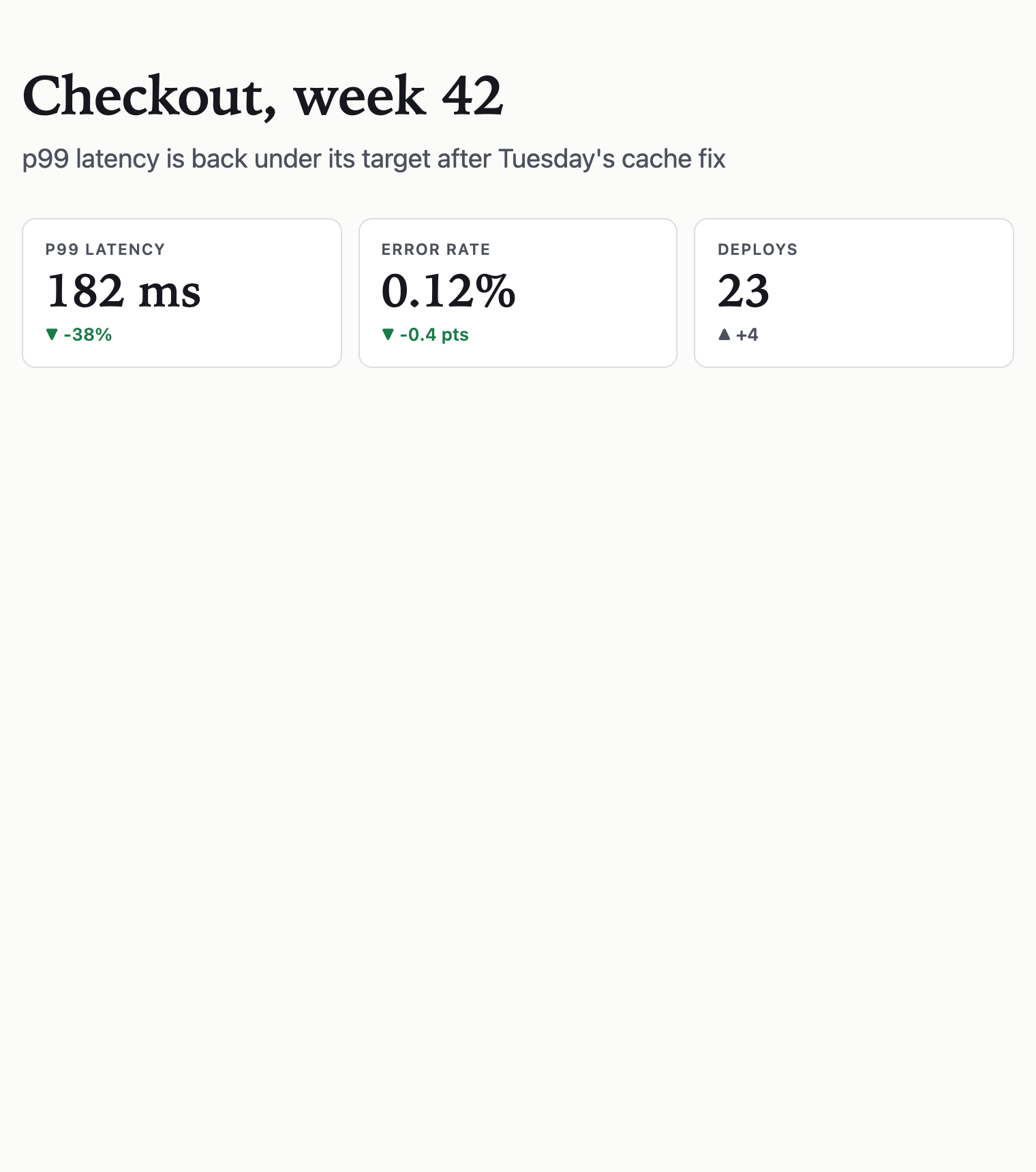
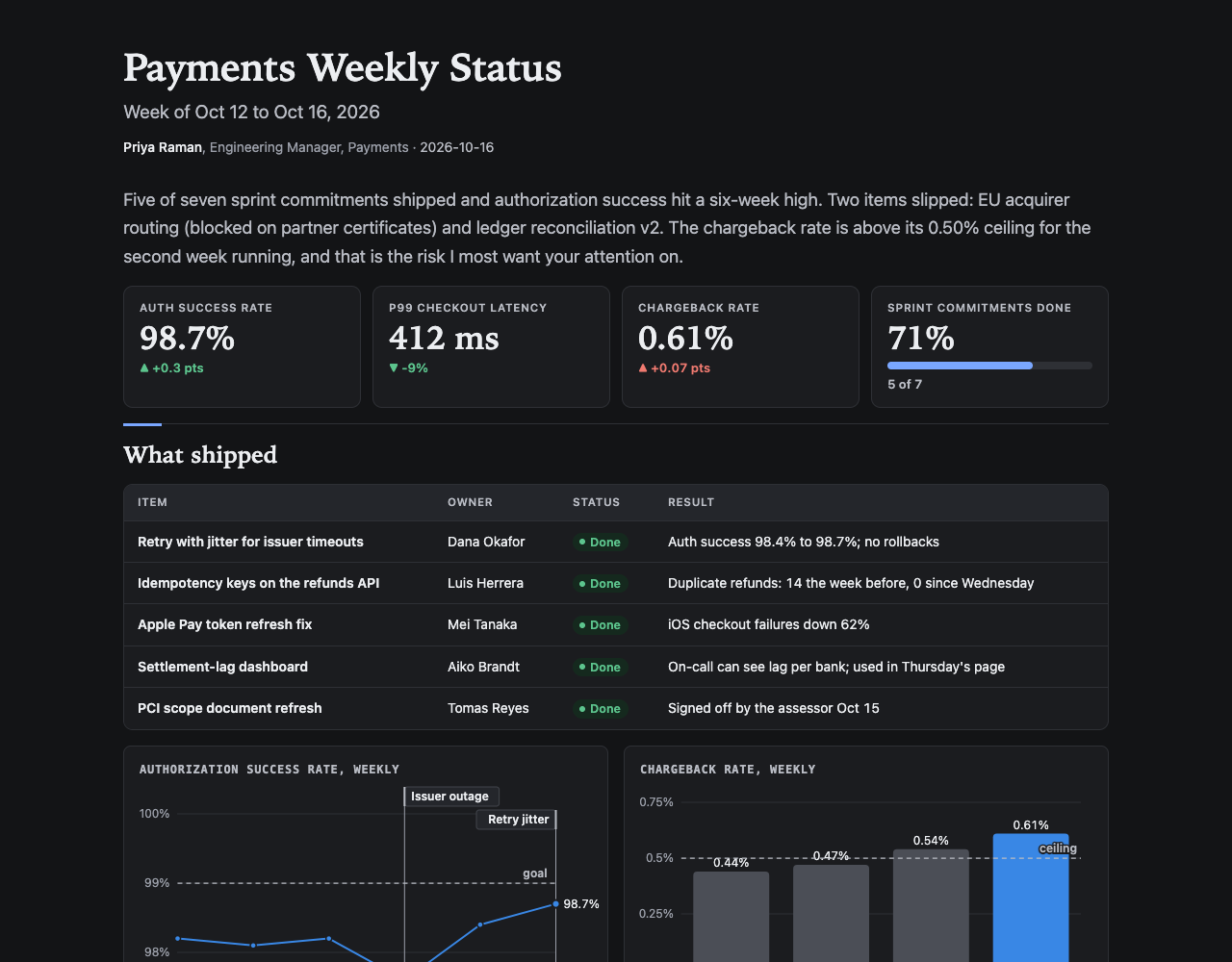
@title Checkout, week 42@subtitle p99 latency is back under its target after Tuesday's cache fixkpi p99 latency | 182 ms | -38% | goodkpi Error rate | 0.12% | -0.4 pts | goodkpi Deploys | 23 | +4 | neutraldata lat = day,p99; Mon,240; Tue,296; Wed,190; Thu,184; Fri,182chart line lat unit=ms target="200 SLO" mark="Tue cache fix" title="p99 latency by day"! The cache now expires on write instead of on a timer, so a deploy no longer serves stale prices.
214 tokens in→44 KB of HTML out·0 scripts

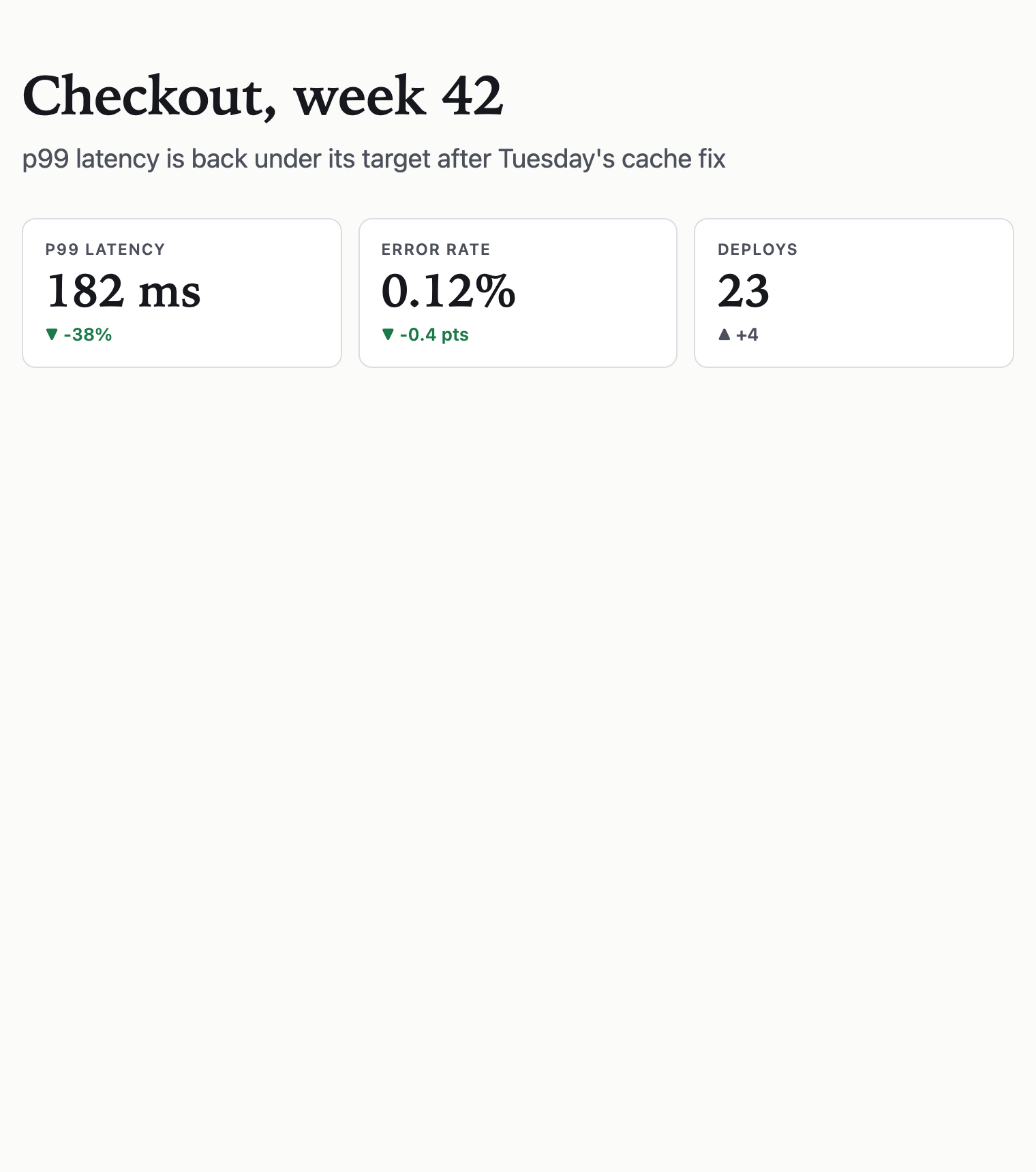
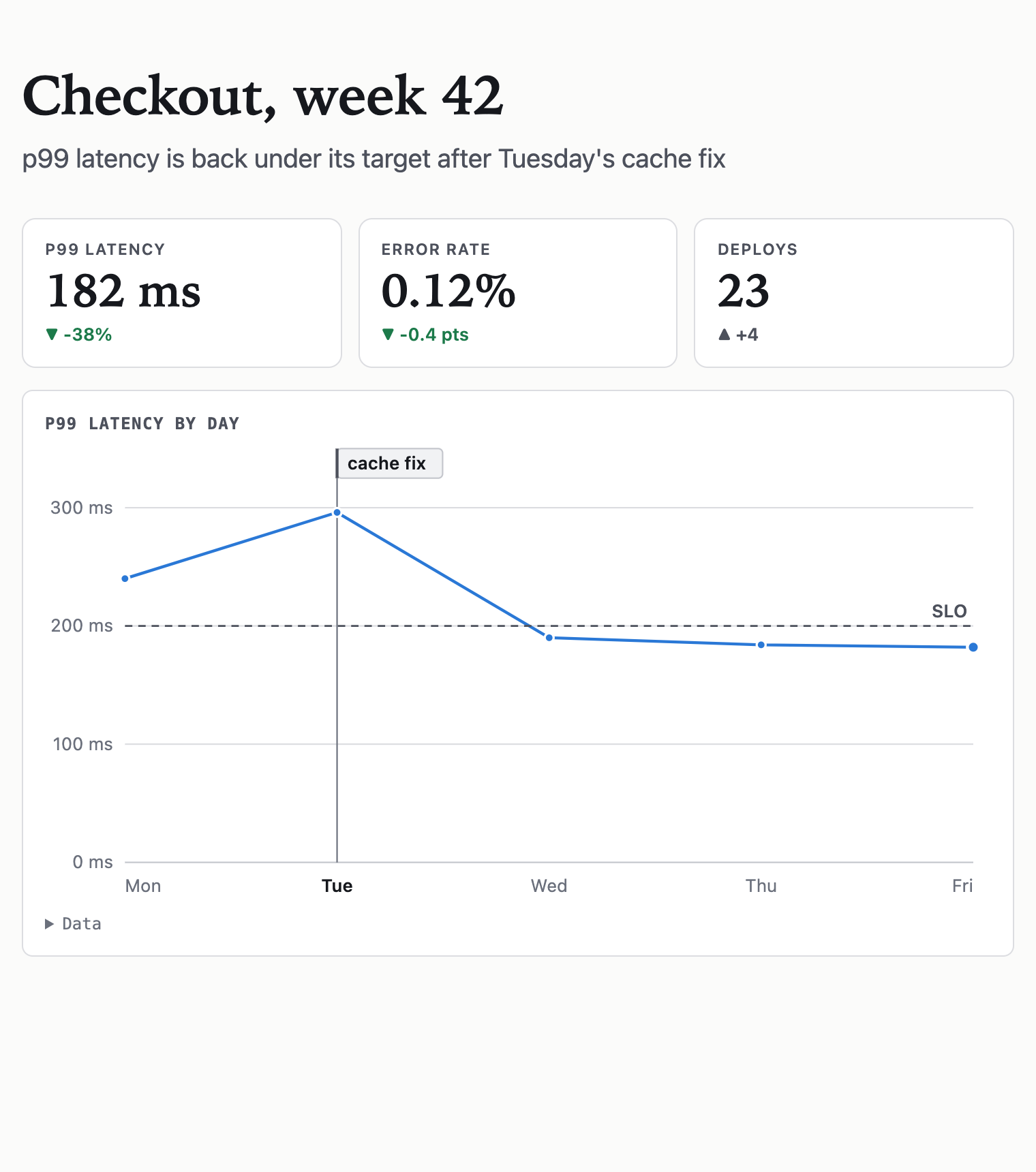
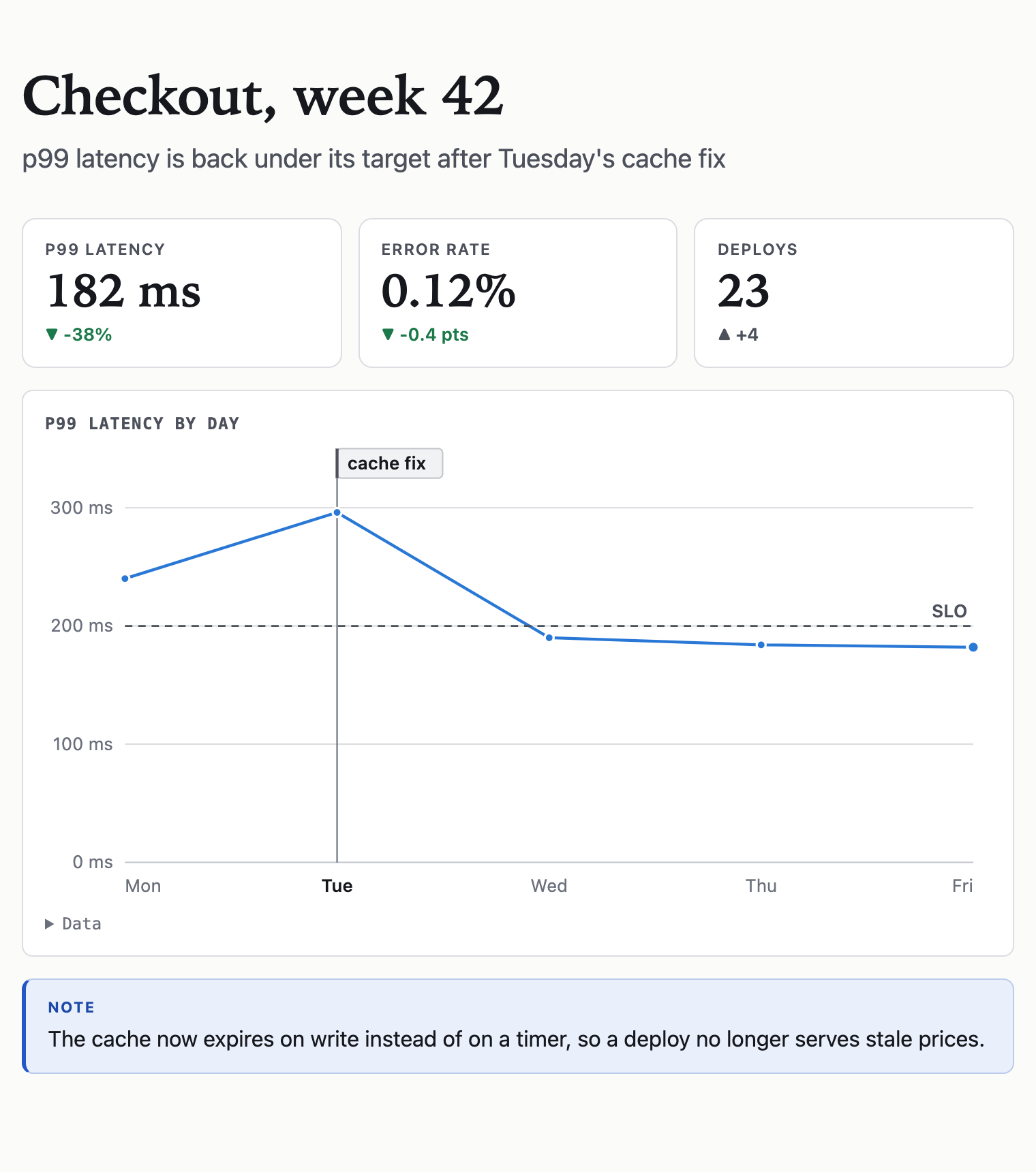
kpi Output tokens | 713 | −86% | good
Cheaper to write, faster to arrive, and short enough to read.
Output tokens cost several times what input tokens do, arrive one at a time, and stay in the agent's context. A page in HTML runs to thousands of them, most of them styling and markup nobody reviews. The same page in Lede is about seven hundred, and every line is content.
Cost
$14 instead of $101
for 1,000 pages written by Opus 5.5. On Sonnet 5.5 it is $6 instead of $45. The markup was never the part you wanted to pay for.
Time
12 s instead of 84 s
for Opus 5.5 to finish writing one page, at an assumed 60 output tokens a second. And the reader sees the first block after the first line, not after the last (FIG. 1).
Context
7k instead of 51k
tokens added to the agent's context by ten pages, which every later turn re-reads. That room goes back to the work the pages were about.
Review
32 lines instead of 136
for the same page (FIG. 3). Every Lede line is content, so a person can read what the agent wrote before it ships, and a diff shows what changed on the page, not in its CSS.
| Writer | Tokens a page, HTML | Tokens a page, Lede | 1,000 pages, HTML | 1,000 pages, Lede |
|---|---|---|---|---|
| Opus 5.5 | 5,068 | 713 | $101.36 | $14.26 |
| Sonnet 5.5 | 4,501 | 625 | $45.01 | $6.25 |
| Haiku 5.5 | 2,770 | 598 | $1.39 | $0.30 |
Mean output tokens over 60 benchmark briefs per model, counted with each model's own tokenizer and priced at Anthropic's list output rates in October 2026 ($20, $10 and $0.50 per million tokens). Thinking and input tokens are left out: the brief is the same either way, and the Lede reference adds 2,908 tokens that caching makes cheap after the first call.
The savings arrive with the compiler's guarantees, not instead of them: no script, light and dark themes, a phone layout and checked contrast on every page. What Lede cannot do yet is in where it stands.
$ lede build page.lede -o page.html
You write the content. The compiler owns the rest.
A model writing HTML decides spacing, color, contrast and breakpoints on every page, and gets some of them wrong on every page. In Lede those are not choices the writer can make.
Light and dark
Every page carries both themes and follows the reader's setting. Charts and diagrams switch with it.
A phone layout, computed
Narrow screens get their own layout, not a shrunken desktop: tiles stack, charts redraw for the width, diagrams lay out again.
No script, nothing remote
The page is one file with no JavaScript, its own content security policy, and nothing fetched from another server. Raw HTML is sanitized.
Contrast, checked
Zero contrast failures in 180 benchmark pages. The HTML the same models wrote for the same briefs failed between 2 and 8 times per 30 pages.

data tokens = tier,lede,html
The same brief, a fifth to a seventh of the tokens.
Three Claude models each wrote 60 pages twice, once in Lede and once in HTML, from the same briefs. Output tokens are what you pay for and wait for.
- Haiku 5.54.6×
- Sonnet 5.57.2×
- Opus 5.57.1×
Mean output tokens per page, 60 briefs per model, counted with each model's own tokenizer. The pages are the v0.4 benchmark round.
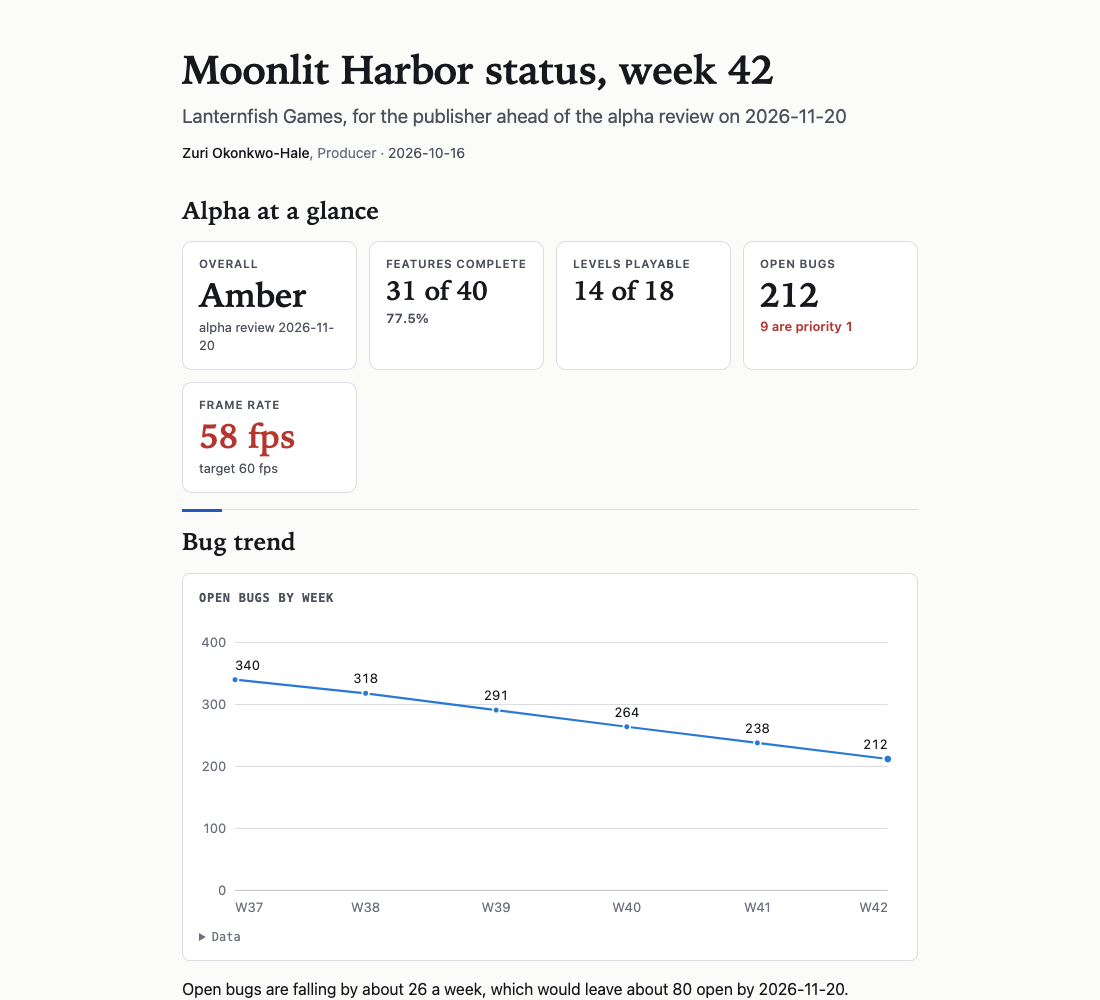
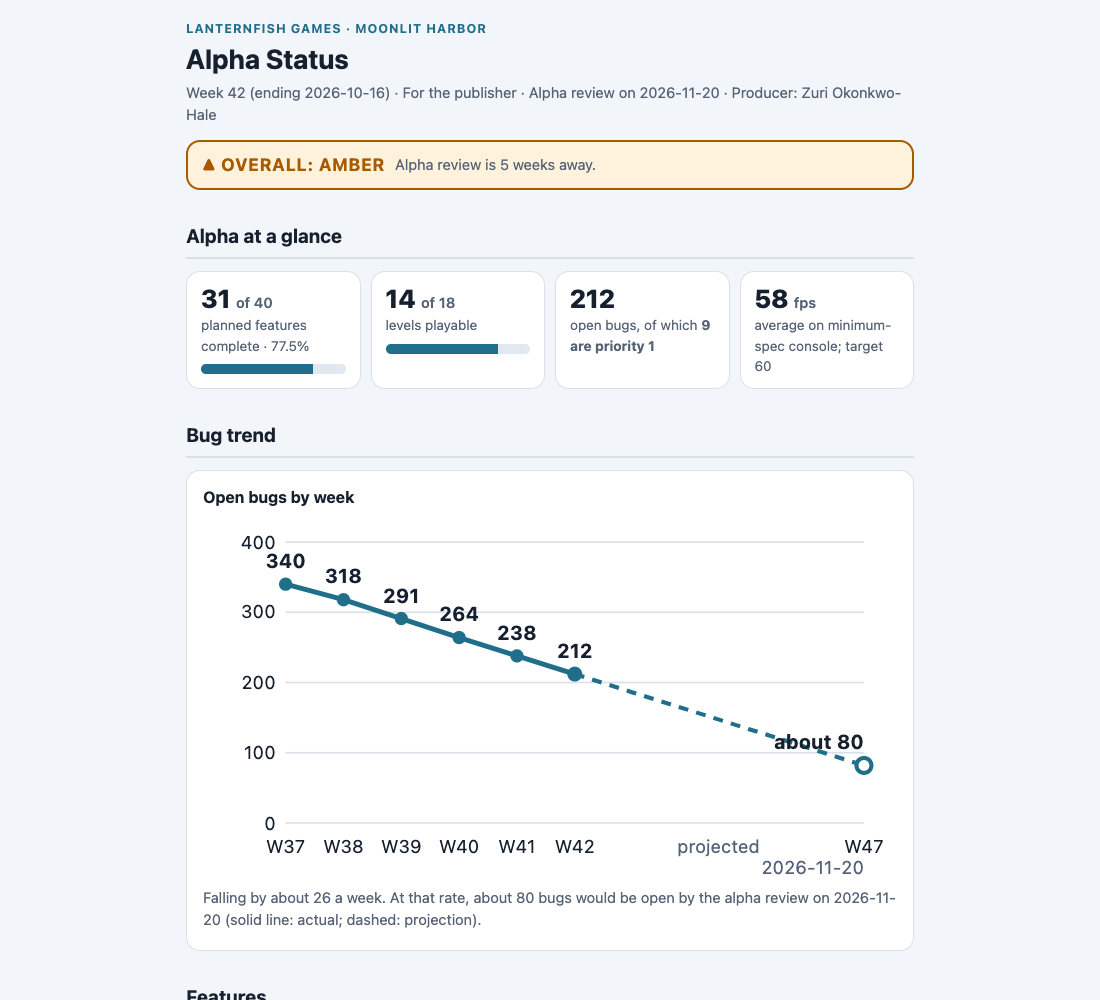
chart line runs mark="W3 freeze lifted"
Nine keywords and the Markdown you already know.
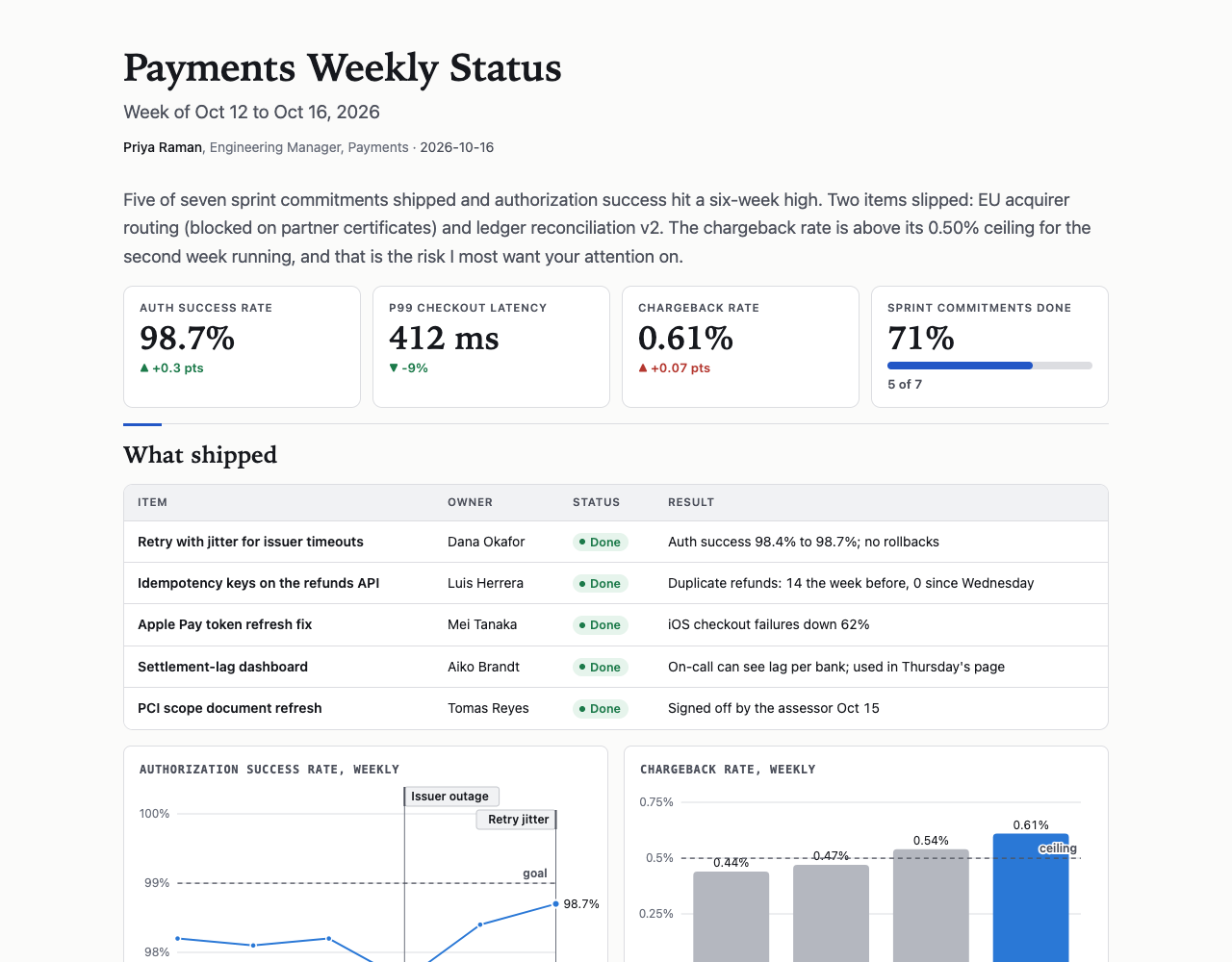
Headings, lists, quotes, links and code fences work as they do in Markdown. These lines add the rest. Each specimen below is the source above it, compiled as it stands.
kpi Uptime | 99.97% | +0.02 pts | good
kpi p99 latency | 182 ms | -12% | good
kpi Cost | $41,200 | +8% | bad

data runs = week,deploys,rollbacks; W1,14,2; W2,19,1; W3,23,3; W4,31,1; W5,28,2; W6,34,1
chart line runs mark="W3 freeze lifted" title="Deploys per week"

table = service,owner,p99,status; Checkout,Ana,182 ms,On track; Search,Wei,240 ms,At risk; Ledger,Sam,95 ms,Blocked; Billing,Ola,120 ms,Done

diagram arch dir=LR
arch: user "Customer" user
arch: api "Payments API" svc focus
arch: db "Orders DB" db
arch: q "Events" queue
arch: user -> api : https
arch: api -> db : sql
arch: api --> q : async
arch: group vpc "VPC 10.0.0.0/16" api, db, q

diagram login sequence
login: browser "Browser" user
login: app "Web app" svc
login: idp "Identity" ext
login: browser -> app : POST /login
login: app -> idp : verify
login: idp --> app : ok
login: app --> browser : 302 + cookie

data plan = task,start,end; Design,2026-03-02,2026-03-20; Build,2026-03-16,2026-05-08; Test,2026-04-27,2026-05-22
chart range plan from=start to=end target="2026-05-01 freeze"

step Rotate the certificate | by 03:00 | Ana
step Drain the old pool | by 03:30 | Wei
step Re-enable writes | by 04:00 | Sam

! The cache now expires on write.
!! Two flags depend on billing_v2.
!!! Writes are paused until 04:00.

cards
### SQS
At-least-once delivery, nothing to run. **Chosen.**
### Kafka
Ordered and replayable, but a cluster to operate.
### Postgres queue
No new service, until the table locks.

Also: image, grid 2 to set blocks side by side, table … heat and bar= for scorecards. A keyword that starts a prose line takes a \ in front, so a typo fails loudly instead of rendering as text.
skill/lede/SKILL.md
The whole language fits in 2,908 tokens.
This is everything a model reads before it writes Lede, set small. It ships as one skill file. The project caps it at 2,910 tokens, counted the way Claude 5.5 counts them: a word is added only if the reference still fits.
Lede is a line-oriented page format. One line is one block; nothing nests or closes (except ``` fences and sequence alt/opt blocks); indentation never matters. You write content; the compiler owns layout, color, dark mode and phone layout, so never write styling.

Text
```
@title Page title            (meta: also @subtitle, @author Name, Role, @date, @width wide)
# Heading 1 / ## Heading 2 / ### Heading 3
Plain lines are paragraphs; consecutive lines join. A blank line ends a paragraph.
- bullet          1. numbered          - [ ] task          - [x] done task
-- sub-bullet     -- 1. sub-step     (one level, under the item above)
> quote line      > — Attribution (last quote line starting with —)
! A note callout.
!! A warning callout.
!!! A critical callout (outage, data loss, stop-the-line).
---               (horizontal rule)
\Escape: a leading backslash makes the line plain text (for prose starting with a keyword like "table" or "data", or with #, -, >, !).
```
Inline: `code`, **bold**, *italic*, [link text](https://example.com).
Code: a ``` fence with an optional language; ```=html fences raw HTML (sanitized).

Data: declare once, reference by name. Rows are separated by `;`, fields by `,`. Quote fields containing `,` or `;`: "Smith, J", "$1,450". A comma inside **bold** does not split the field. The first row is the header.
```
data runs = week,deploys,rollbacks; W1,14,2; W2,19,1; W3,23,3
data runs += W4,31,1; W5,28,2          (append rows later)
```
Charts: `chart KIND DATA [options]`. KIND is `line`, `area`, `bar` (vertical; grouped for several y columns), `hbar` (horizontal; use for long category names or rankings) or `range` (to-scale spans: schedules, deadlines, safe ranges).
```
chart line runs x=week y=deploys,rollbacks title="Deploys per week"
chart bar runs y=deploys labels
data cost = service,usd; Compute,18400; "Storage, S3",6100
chart hbar cost unit=$ title="Cost by service"
data plan = task,start,end; Design,2026-03-02,2026-03-20; Build,2026-03-16,2026-05-08
chart range plan from=start to=end target="2026-05-01 freeze" title="Plan"
```
Options: `x=col` (default: first column), `y=col,col` (default: every numeric column; column names may contain spaces: `y=open bugs,closed bugs`), `title="..."`, `unit=ms` (or `$`, `%`, any suffix), `stack` (bar/hbar/area), `labels` (print values), `min=` / `max=` (axis range), `focus=col` (highlight one series, grey the rest) or `focus="Thu"` (emphasize one bar by its x value), `target="99.9 SLO"` (a dashed reference line at that value, with an optional label), `mark="W3 deploy"` (an event: the x value as written in the column, then a label; repeatable, 2 to 4 per chart, under 24 characters; not hbar). `range` takes `from=col to=col` (numbers or ISO dates), optionally `at=col` (a marker per row) and `bands=400,5000` (labelled threshold ticks, up to 4). `labels=end` labels only the last point; `labels=all` labels every value. `hatch="Thu"` stripes an estimated bar. Series named good/neutral/bad, done/at risk/blocked and similar take status colors. Bars get value labels automatically when they fit. Cells must be plain numbers (no units inside cells; put the unit in `unit=`).

Tables:
```
table runs                                   (all columns)
table runs cols=week,deploys sort=-deploys limit=5 title="Busiest weeks"
table = option,cost,verdict; SQS,low,**chosen**; Kafka,high,overkill    (inline, one-off)
table runs heat                    (rank numeric cells by value; or heat=col,col)
table runs bar=deploys             (a bar behind that column's numbers)
table runs bar=deploys target=rollbacks   (a tick per bar at the target value)
```
`sort=col` ascending, `sort=-col` descending. Cells may use inline markup. A cell that is just a status word (Done, On track, Ready, At risk, In progress, Blocked, Failed, Go, No-go…) renders as a colored status pill, so write the plain word. Numbered lists render as step lists.

Metric tiles: consecutive kpi lines form one row.
```
kpi Uptime | 99.97% | +0.02 pts | good
kpi p99 latency | 182 ms | -12% | good
kpi Cost | $41,200 | +8% | bad
kpi Deploys | =runs.deploys          (last value of a data column)
kpi Migrated | 58% | on track | bar   (progress bar, 0 to 100)
```
A lone kpi line renders as one large hero number. A note that is just a status word or a date shows as a chip. Fields: label | value | change | tone (`good`, `bad`, `neutral`) or a short note. Tone colors the change.

Diagrams: declare, then write lines prefixed with the diagram's name and a colon.
```
diagram arch dir=LR title="Production topology"
arch: user "Customer" user
arch: api "Payments API" svc "ECS, 6 tasks" focus
arch: db "Orders DB" db
arch: user -> api : https
arch: api -> db, cache : sql
arch: q --> worker : async
arch: a <-> b
arch: group priv "Private subnets" api, db
arch: group vpc "VPC 10.0.0.0/16" priv, lb
arch: legend      (a key to node kinds and arrows)
```
- Node: `id "Label" [kind] ["sub label"] [focus]`. Kind is a short lowercase tag: user, svc, fn, db, queue, cache, lb, ext, store, team, decision (diamond; label its exits yes/no)... Use `focus` on the 1–2 nodes that matter most. Undeclared ids become nodes.
- Edge: `a -> b : label`; `-->` dashed (async, reply, optional); `<->` both ways; `-x-` a blocked path that must not exist; chains `a -> b -> c`; fan-out `a -> b, c`. Keep labels short (≤ 3 words).
- Group: `group id "Label" members...`; members may be other group ids, which nests them (account > VPC > subnet).
- An edge may point at a group id (`vpc -> tgw : attach`).
- `dir=LR` (left to right) or `dir=TB` (top to bottom, default).

Sequence diagrams: `diagram NAME sequence`, then participants, messages in order, and notes.
```
diagram login sequence title="Login"
login: browser "Browser" user
login: app "Web app" svc
login: browser -> app : POST /login
login: note app : checks password
login: alt "password ok"
login: app --> browser : 302 + cookie
login: else "bad password"
login: app --> browser : 401
login: end
```
`opt "cond"` also works; blocks do not nest.

Layout:
```
cards             (the ### sections that follow become a grid of cards)
step Rotate the cert | by 03:00 | Ana     (consecutive step lines: numbered step cards, deadline as a chip)
image chart.png "Alt text describing it" caption="Optional caption"
grid 2            (the next 2 blocks sit side by side; `grid 3`, or `grid 2 count=4` for 4 blocks in 2 columns)
```

Rules: keywords (`data chart table kpi diagram image grid cards step`) are lowercase and start the line. Declare every data name and diagram above its first use. Charts for trends, tables for exact values, kpi tiles for headline numbers, diagrams for structure. `bar` for up to 12 points of one series, `line` for longer trends. The one headline number goes on a lone kpi line; a runbook opens with a kpi row of thresholds or contacts. Repeat a chart's data in a table only when exact values matter. `heat` for scorecards, `bar=` for progress or share columns. Write numbers with their unit: 54.7%, $17.2M, 182 ms, never "percent" or "million". `cards` compare options side by side, `step` lists dated actions, `chart range` shows spans on a scale. Lede only: no HTML unless unavoidable, no Markdown tables, no Mermaid.
Read it laid out, with examples to open in the playground →
cards
Twelve requests, and the pages a model wrote.
Each is a request a developer might type. Sonnet 5.5 wrote every page from the reference alone, and each one says what it could not do.


name: lede
Give your agent the skill. Then ask for a page.
Lede ships as a skill: one file an agent loads when a request calls for a page. Any agent that can read a file and run a command can use it, from Claude Code to an agent you build on the API.
1 Add the skill, from whichever host you use
Any agent · Cursor and more
# one command, every skills host
npx skills add lede-lang/lede
For Cursor, Gemini CLI, Windsurf and the other hosts the skills CLI installs into.
Claude Code
# add the marketplace, then install
/plugin marketplace add lede-lang/lede
/plugin install lede@lede
Lede is not listed in Anthropic’s plugin directory yet, so the first command adds this repository as a marketplace. Auto-update is off for a marketplace like this one; turn it on in /plugin → Marketplaces. Terminal commands and a team setup are in the README.
Codex
# add the marketplace
codex plugin marketplace add lede-lang/lede
Then run /plugins in Codex and install Lede. Start a new session after installing.
Claude.ai and Claude Desktop
Upload the zip under Customize → Skills (+ → Upload a skill), with code execution on in Settings. It holds one folder, lede/, with the skill file in it.
Just the file
# Claude Code: every project, or .claude/skills/ for one
mkdir -p ~/.claude/skills/lede && mv SKILL.md ~/.claude/skills/lede/
Any agent that reads skill folders takes the same folder. On the API, put the file in the system prompt.
From source
# clone, then copy the skill folder
git clone https://github.com/lede-lang/lede
cp -r lede/skill/lede ~/.claude/skills/lede
The compiler is a separate install, below.
Click a command to select it. Every route installs the same file, and it tells the agent to run lede, and to ask you before installing it if it is missing.
-
Put
ledeon the pathThe compiler is the npm package
@lede-lang/cliand runs on Node 22.12 or newer. You can install it yourself, or let the agent do it when it asks.npm install -g @lede-lang/cli
-
Ask for a page
Ask for a report, a status page, a comparison, a runbook, or an architecture or decision page: the requests the skill is written for. The agent writes a
.ledefile, repairs whatlede check --fixreports, and builds one HTML file.
> make a status page for checkout, week 42
  loads skill: lede
  writes checkout-week-42.lede              8 lines · 214 tokens
$ lede check checkout-week-42.lede --fix
ok
$ lede build checkout-week-42.lede -o checkout-week-42.html
checkout-week-42.lede → checkout-week-42.html (0.5 KB → 43.4 KB)
In your own agent
Building on the API instead? Put the reference from SKILL.md in the system prompt, take the model's reply as Lede, and compile it with lede build. The reply is a fifth to a seventh the length of the HTML it replaces.
To show the page while the model is still writing, feed the stream to LedeStream from the core package: write() returns each block as it finishes, and snapshot() returns a page you can render at any moment.
!! Pre-release
Cheaper and safer. Not yet as good as the best HTML.
Blind judges compared each Lede page with the HTML the same model wrote for the same brief. The fast model's Lede pages won or tied 60% of the time. Against the larger models' HTML they mostly lose: the format cannot yet draw everything a frontier model will hand-build.
Seven of the seventeen kinds of page we studied need a reader to click, drag or type. A static page can only hand over the answer, and the examples show where that bites.
Lede is not a drop-in replacement for HTML yet, and it needs work on what it can draw. What it already does is write the same page for a fifth to a seventh of the tokens, with layout, contrast and safety handled by the compiler.
| Writer | Win or tie vs its own HTML | Valid as written | Tokens, Lede / HTML |
|---|---|---|---|
| Haiku 5.5 | 60% | 59 of 60 | 598 / 2,770 |
| Sonnet 5.5 | 10% | 59 of 60 | 625 / 4,501 |
| Opus 5.5 | 22% | 58 of 60 | 713 / 5,068 |
Win or tie: 30 fresh briefs per model, two blind judge samples each. Validity and tokens: all 60 briefs. Every invalid page was a quoting slip in a table cell or a wrong chart option, and the compiler named each one. lede check --fix now repairs the quoting slips.